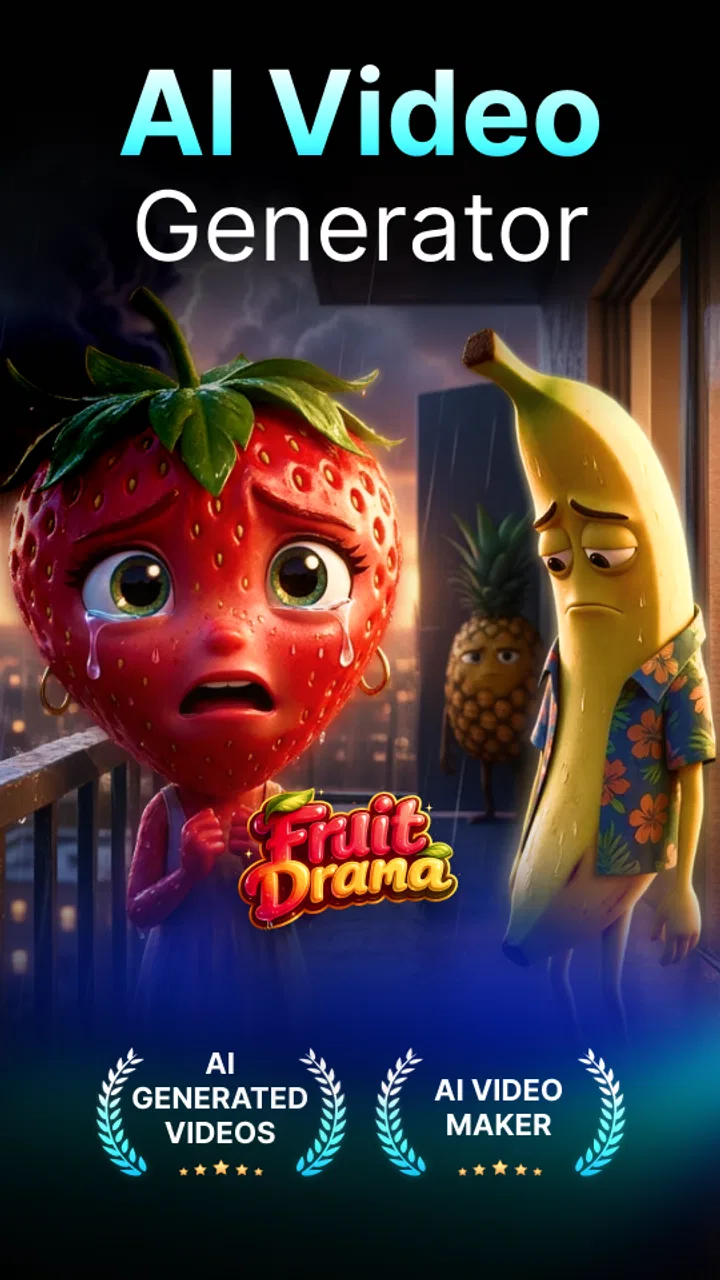
AI Video Generator - Vimo AI
- 4.6
- Rating
- 500.00K
- Installs
- Free
- Price

 Analysis by App-foxy
I approached AI Video Generator - Vimo AI as a practical photography tool rather than a replacement for a full video editor. Its main appeal is simple: start with a still image, describe the movement or scene you want, and turn that image into a short AI-generated video. That makes it interesting for people who have attractive photos but want something more lively to share.
After using it, my view is that Vimo AI is best understood as a quick idea-to-video app. It is not aimed at detailed timeline editing, careful color work, or traditional filming. Instead, it sits between a photo editor and an AI video generator, using image-to-video creation as its central experience. If that is the kind of result you want, the app feels focused. If you need precise control over every frame, you may find the workflow restrictive.
What I considered before recommending it
The first decision is the kind of video you want to make. If your starting point is a portrait, travel picture, product shot, illustration, or social media image, Vimo AI has a clear reason to exist. A still photograph can become a moving visual without requiring you to record new footage. That is useful when the original moment has already passed or when the image is entirely digital.
You May Also Like

 Blood Strike: 2.5 Anniversary
Blood Strike’s Loadouts Turn Every Drop Into a Tactical Gamble
A close look at Blood Strike’s custom loadouts: how fast access to signature weapons reshapes its battle royale rhythm, rewards preparation, and narrows the gap between fights.

 Pandora - Music & Podcasts
Pandora’s Music Is Easy to Start, but Harder to Recover
Pandora’s strength is its low-effort path from a seed to a station. Its weak spot is how much confidence it asks you to place in connection, setup, and quiet recovery.

 8 Ball Pool
 Is Built on Rivalries, Rematches, and Routine
A close look at the rivalries, rematches, shared routines, and unanswered safety questions that turn a quick pool match into a persistent mobile community.

 Samsung Music
’s Quiet Strength Is Playing What You Already Own
Its reach comes less from spectacle than from dependable access to a personal library. That simplicity is both the app’s strongest retention engine and its ceiling.

 AccuWeather: Weather Radar
AccuWeather Review: A Quick, Clear Forecast for Everyday Decisions
For everyday plans, the best forecast is the one you can understand quickly. AccuWeather makes rain timing, radar, and local conditions easy to act on, with a few trade-offs.

 Hill Climb Racing
Why Hill Climb Racing Still Turns Crashes Into One More Run
A tiny car, a bumpy hill and one more upgrade: Hill Climb Racing keeps resurfacing because its simple chaos makes every near-miss feel personal.
More From Our News Desk
View All News


The second decision is how much creative control you need. Traditional mobile editors usually give you a timeline, trimming tools, transitions, text layers, audio controls, and manual adjustments. Vimo AI takes a different route. You provide the visual starting point and a creative direction, then let the generation system interpret it. I found that faster for experimentation, but less predictable than editing a clip myself.
The third factor is patience. AI video creation is not the same as applying a filter. Results can vary, and a prompt that sounds clear to a person may still produce movement that feels too strong, too vague, or simply unlike the intention. I would use this app when I am willing to try a few ideas and choose the most convincing result, not when I need a guaranteed take on the first attempt.
Vimo AI is free to install and is suitable for Everyone, which makes it approachable for casual creators. It is developed by MobileOcean Bilisim and belongs to the photography category. The app has reached over 500 thousand installs and holds a 4.6 average from around 40 thousand ratings, so it has clearly attracted more than a small experimental audience.
How the basic workflow feels
The most natural workflow begins with an image that already has a clear subject. I get better results when the main object is easy to identify and the background is not overloaded with competing details. A clean portrait, a centered object, or a landscape with an obvious foreground gives the generator a stronger visual starting point than a crowded group photo.
From there, I treat the prompt as direction for motion rather than a request for an entirely new composition. Instead of describing every possible event, I focus on one or two changes: a gentle camera push, subtle hair movement, drifting clouds, a slow turn, or a small environmental effect. This is one of the most useful practical lessons with Vimo AI: simple movement usually looks more believable than an overloaded instruction.
When I want a more dramatic result, I still try to keep the subject stable. Asking the person, camera, lighting, background, and atmosphere to change at once makes the output harder to judge. A better approach is to create several versions with different priorities. One can emphasize camera motion, another can emphasize the subject, and a third can focus on the environment. That turns the app into a visual sketchbook instead of a one-shot generator.
The app’s store description connects its creation tools with Runway AI and the VEO 3 API. I see that as a sign of the kind of experience it is targeting: prompt-led generation rather than manual animation. However, I would not approach it expecting the same workflow as a professional desktop production environment. The attraction is speed and accessibility, not a large control panel.
Where Vimo AI is especially useful
One everyday example is a small business owner preparing a social post. Imagine someone has a well-lit photo of a handmade candle, a plate of food, or a piece of jewelry but no video footage. Vimo AI can be used to explore a gentle reveal or slow camera movement from that single image. The result may not replace a carefully filmed product clip, but it can provide a more engaging starting point than posting the unchanged photograph.
It is also useful for personal memories. A travel photo can be given a little atmosphere, or a portrait can be turned into a short visual greeting. I would keep the motion restrained for personal images because excessive animation can make faces and hands look unnatural. The app works best when the goal is to add mood, not to make a still picture perform an elaborate scene.
Illustrators and hobby artists may find another strong use. A finished artwork can be tested with a few different motion ideas without rebuilding the composition in an animation program. This is valuable during the concept stage. I can quickly discover whether a floating camera movement, a slow environmental shift, or a subtle foreground effect suits the image before investing time in a more demanding production.
A less obvious workflow is using the app for visual planning. If I am preparing a short presentation, a mood board, or a social campaign, I can animate several still concepts and compare their energy. The generated clips are not automatically final assets, but they can help decide which image deserves a proper video treatment. That saves time because I am testing direction before committing to a longer edit.
Small choices that improve the results
I recommend preparing the source image before uploading it. Cropping away unnecessary edges, checking that the subject is sharp, and avoiding a confusing background can make the generator’s job easier. This is not a special button or hidden mode; it is a practical habit that matters because the image is doing most of the visual setup.
I also avoid prompts that describe a complete story in one sentence. A still image contains limited information, so asking it to reveal new objects, change location, rotate the subject, alter the weather, and add cinematic action creates too many opportunities for visual errors. I get more useful experiments by changing one variable at a time and comparing the outputs.
For portraits, I look closely at the eyes, mouth, fingers, and hair. Those areas can reveal whether the animation feels convincing. A clip may look impressive at first glance but become distracting when the face shifts unexpectedly. For objects, I check edges and reflections. Shiny surfaces, thin lines, and repeated patterns can expose inconsistencies more quickly than a soft background.
Another useful trade-off is choosing between a visually exciting prompt and a reusable result. A highly dramatic animation may attract attention once, while a restrained movement is easier to place beside text, music, or other clips. If I am creating content for repeated use, I prefer the calmer version. If I am only exploring an artistic idea, I am more willing to accept unusual motion.
Where traditional alternatives fit better
Vimo AI is not the obvious choice for someone who already has video footage and wants to edit it carefully. A conventional mobile video editor is better for cutting several clips, syncing moments to music, adding captions at exact times, or controlling the order of a story. Those apps may feel slower at the beginning, but they offer a level of predictability that AI generation cannot guarantee.
A photo editor is also a better fit when the real task is correcting the original image. If I need to remove distractions, adjust exposure, retouch a face, or prepare a precise product image, I would do that first in a dedicated photography editor. Vimo AI can animate a picture, but animation does not solve a weak composition or poor lighting.
For users who want characters to speak, maintain exact identity, or perform a carefully scripted action, I would compare Vimo AI with a specialized avatar or animation service rather than assuming an image-to-video tool will handle everything. The more exact the performance needs to be, the more important dedicated controls become.
There is also a privacy and workflow consideration that deserves attention. Anyone working with sensitive client images, private family photos, or unreleased commercial material should think carefully before sending those images into any cloud-based creative process and should review the app’s current permissions and privacy information. I would not treat convenience as a reason to upload material that I am not authorized to process.
Free access, purchases, and the cost of changing tools
The app is free, but in-app purchases range from $2.99 to $219.99 per item. That broad range tells me users should pay attention to the purchase screen and understand what each option unlocks before confirming anything. I would begin with a small personal test rather than committing to a larger purchase, especially if I am still deciding whether the generated style suits my work.
The real cost is not only money. It is also the time spent preparing images, writing prompts, waiting for generations, and sorting through results. If I only need one animated picture occasionally, Vimo AI may be convenient. If I need a large batch of consistent clips, the process may become less efficient than using a structured video workflow, particularly when every image needs a different correction.
Switching away from Vimo AI can also mean changing the way I think about projects. With a normal editor, I collect footage and assemble it. With this app, I start from a visual concept and test interpretations. That makes it excellent during brainstorming, but less comfortable when a client has already approved an exact sequence. The earlier I use it in a project, the more valuable it becomes; the later I use it, the more its unpredictability may matter.
The current version is 3.0.8, and it runs on Android 7.0 or later. That gives the app a relatively broad compatibility range for Android users, although the experience will still depend on the phone, connection, image size, and the complexity of the requested generation. I would keep the original image saved separately and export or preserve successful results as I go, rather than assuming an experiment will always be easy to recreate.
Who should use it and who should skip it
I would recommend Vimo AI to casual creators, photographers who want motion experiments, small businesses with strong still images, and artists looking for quick animation concepts. It is especially appealing when the question is, “What could this picture become?” rather than, “How do I edit this existing video precisely?”
I would also suggest it to people who enjoy iteration. The best experience comes from trying a restrained prompt, examining the result, adjusting the direction, and comparing versions. If that process sounds creative rather than frustrating, the app has a good chance of becoming a useful part of your toolkit.
I would skip it if I need frame-by-frame control, dependable continuity across a long sequence, exact lip synchronization, or a full production timeline. I would also choose a regular editor when the source material is already video and the main job is trimming, arranging, captioning, and finishing. In those situations, AI generation adds a layer of uncertainty without solving the central problem.
My recommendation after using it
My recommendation is positive, with a clear boundary: use Vimo AI as a fast image-to-video idea generator, not as your only editing application. It gives still images a new role and can produce engaging experiments without asking you to learn a complex animation package. The strongest results come from good source images, modest motion requests, and a willingness to compare more than one attempt.
The app’s 4.6 average and substantial install base make it easy to see why people are trying it, but those numbers do not remove the need for personal testing. AI output is subjective, and the same workflow that delights one user may feel unpredictable to another. I would install it, test a few non-sensitive images, and decide based on whether its visual interpretation matches the kind of content I actually make.
For me, the deciding advantage is convenience during the early creative stage. I can move from a photograph to a moving concept quickly, then decide whether the idea is worth developing elsewhere. The deciding weakness is control: when the result needs to be exact, a traditional editor or a specialized animation tool is usually the safer choice.
In short, AI Video Generator - Vimo AI is worth trying if you want to animate photographs, artwork, or product images with a prompt-led workflow. It is free to start, rated for Everyone, and focused enough to be approachable. Just keep your expectations practical, protect sensitive images, watch the purchase choices, and treat the generated clips as creative material that may need selection and further editing rather than guaranteed final footage.
FAQs for AI Video Generator - Vimo AI
01What is AI Video Generator - Vimo AI, and what can I use it for?
AI Video Generator - Vimo AI is designed to help users create short videos with artificial intelligence, typically from text prompts, images, or other supplied media. It can be useful for social media posts, promotional clips, creative experiments, presentations, and visual storytelling. Before downloading, remember that the exact tools available may depend on the app version, your device, and whether you use a free or paid plan.
02Is AI Video Generator - Vimo AI free to download and use?
The application may be available to download without an upfront charge, but some features can require in-app purchases, credits, subscriptions, or a premium account. AI video generation may also use a limited number of free attempts before asking you to upgrade. Check the current pricing, renewal terms, credit system, and cancellation policy in the Google Play Store or App Store before starting a trial or entering payment details.
03Does Vimo AI require an internet connection to generate videos?
Yes, AI video creation generally depends on cloud-based processing, so you should expect to need a stable internet connection while uploading content, entering prompts, generating videos, and downloading finished results. Processing time can vary according to video length, resolution, server demand, and the complexity of your request. Offline access may be limited to viewing or managing videos already saved on your device.
04Can I use the videos created with AI Video Generator - Vimo AI commercially?
Commercial usage depends on the app’s current terms of service, the subscription tier you choose, and the rights associated with any images, music, templates, voices, or AI-generated material used in a project. You should not assume that every generated video is automatically cleared for advertising, business, or monetized content. Review the licensing conditions carefully and use only media for which you have permission.
05Is AI Video Generator - Vimo AI suitable for beginners, and what should I know about privacy?
The app is intended to make video creation more accessible through guided tools and automated generation, so beginners can usually start without advanced editing experience. However, results may require revisions, and prompts do not always produce exactly what you expect. Because you may upload photos, videos, text, or voice-related content, review the privacy policy and permissions before use, especially when working with personal or confidential material.
Pros
- Turns simple text prompts into short videos with minimal editing effort.
- Offers ready-made templates for social posts
- ads
- and promotional clips.
- AI effects and transitions can speed up creative video production.
- Useful for users without advanced video-editing experience.
- Supports quick experimentation with different visual styles and concepts.
Cons
- Generated results may vary noticeably depending on the prompt quality.
- Some advanced tools or exports may require a paid subscription.
- AI videos can look repetitive when using popular templates and effects.
- Processing time may increase for longer or more complex video projects.
- Privacy terms should be reviewed before uploading personal photos or footage.

AI Video Generator - Vimo AI
Gallery